What's New
October 6th, 2026 – Filter Reports by any Column before generating them
2026-10-06
In Manual Refresh Mode, you can now filter a report by any column before generating it, in addition to the global filters.

October 6th, 2026 – Four new Report Types for Reporting Portal
2026-10-06
- Deal (All Statuses) — see Filled, Partial, Pending, and Rejected orders together in one report.
- Deal (Margin Account) — filter deal data by the client margin account each deal was booked to.
- Max Spread Reject Report — track orders rejected because the spread exceeded the Connector's maximum spread limit.
- Position P&L — see daily B-Book PnL per account and symbol, split into realized, unrealized, overnight carry, and trading PnL.

October 6th, 2026 – Scheduled Report Logs
2026-10-06
Monitor the status and errors of your scheduled report deliveries with the new Scheduler Logs component.

October 6th, 2026 – Maker Comparison
2026-10-06
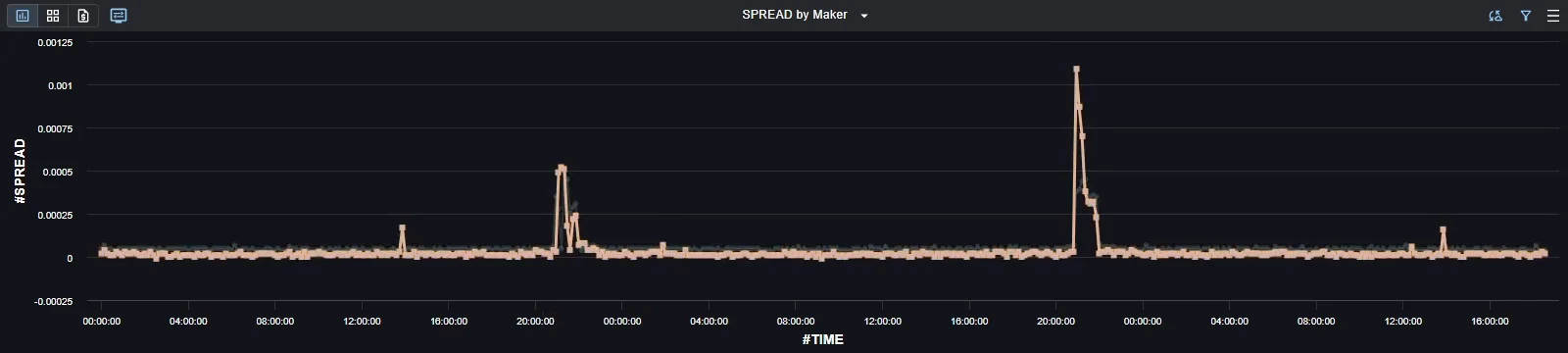
Compare Liquidity Providers' price and spread for a symbol over time with the new predefined Maker Comparison dashboard.
September 10th, 2026 – Monitoring App with Log Viewer
2026-09-10
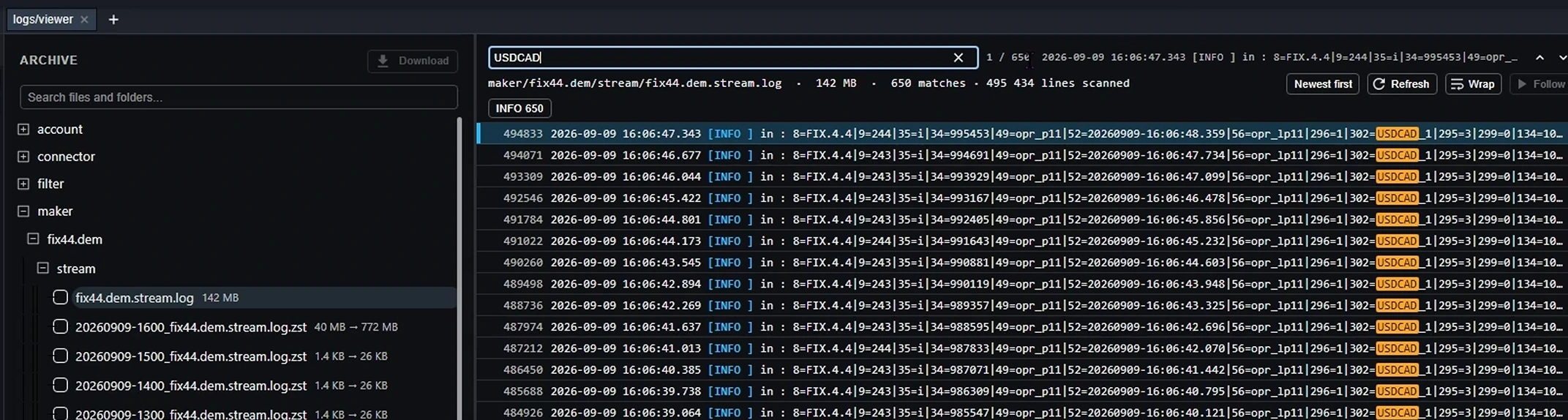
The new Monitoring Portal gives you direct access to your XCore logs — System, Maker, Taker, Filter, and more. Its Log Viewer component browses the archive as a tree, searches inside a file, filters lines by level, and follows a file in real time.
Watch the Log Viewer overview.
Open the Monitoring Portal. Access is not granted by default — grant Monitoring access to your users first.
September 9th, 2026 – Microsoft Teams: Escalation → Support
2026-09-09
Microsoft Teams Escalation channels will be renamed to Support on September 12, 2026, reflecting their existing role as your main point of contact for support.
See the Microsoft Teams Channels section on the Contact Us page.
August 28th, 2026 – Customer Success Team
2026-08-28
A dedicated point of contact for your overall relationship with PrimeXM, alongside our 24/7 Support and Product teams.
See the Customer Success section on the Contact Us page.
August 28th, 2026 – Trade Copy Bridge
2026-08-28
Copy trades at market from one account to many — follow or reverse, with size scaling and flexible source matching. Learn more.
Enabled on request — contact Support to switch it on.
August 24th, 2026 – KuCoin Liquidity Integration
2026-08-24
KuCoin is now available as a liquidity provider — connect to its liquidity directly from XCore.
Set it up in Provider settings.
July 16th, 2026 – Trade Flow & Toxic Client Watchlist Reports with heatmap
2026-07-16
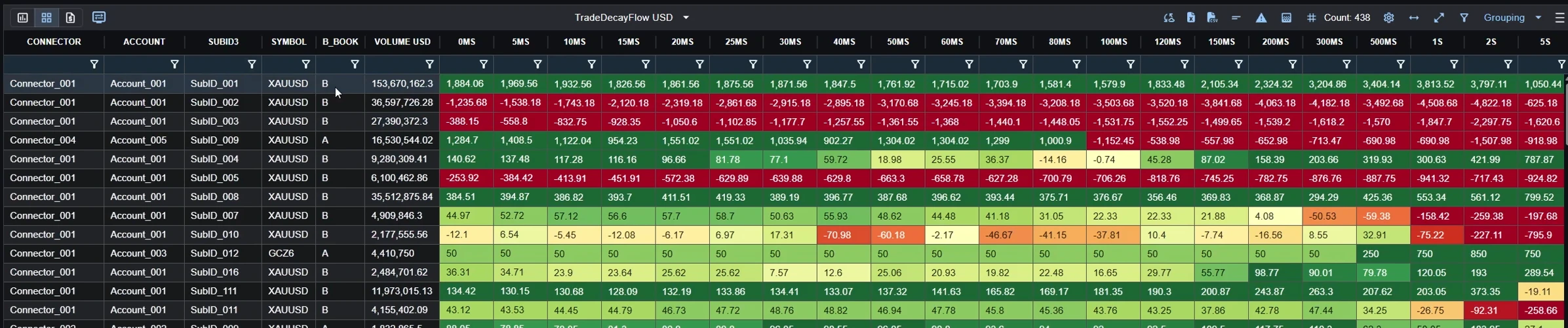
See your toxic flow down to the login, at a glance with change grouping on the fly.
June 2nd, 2026 – Residual Exposure Tracking for Synthetic Hedging
2026-06-02
Track the residual exposure between a client's synthetic position and your actual hedge legs directly in Position Admin.
April 30th, 2026 – Synthetic A-book Execution
2026-04-30
Synthetic instruments can now be A-booked — each leg hedged out with your Liquidity Providers.