Order Blotter
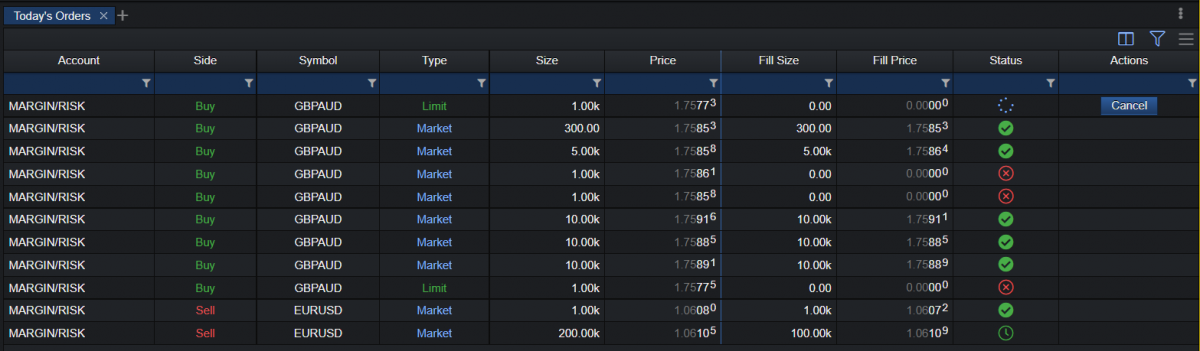
OrderBlotter combines today’s historical and pending orders, and provides visual status icons for their state rather than text (Filled, Partial, Pending, Cancelled, Rejected, Timeout).
| Column | Description |
|---|---|
| Account | The account where the order was placed from. |
| Side | Order side – Buy or Sell. |
| Symbol | The traded symbol (financial instrument). |
| Type | The order type: Market, Limit, Stop or StopOut. |
| Size | The requested size of the order. |
| Price | The requested price of the order. |
| Fill Size | The volume of the order out of the requested size that was filled by the system. |
| Fill Price | The price at which the order was filled in the system. |
| Status | Visual icons showing if the order was: - Filled - Partial - Pending - Cancelled - Rejected - Timeout |
| Actions | Provides the option to cancel a pending order. |