Position Analytics
The MT Monitor Position components allow users to monitor, all open positions on one or multiple MetaTrader Servers in real-time.
Positions are displayed using 3 main components:
- Position Data
- Position Chart
- Position Summary
From these components, users are given key pieces of information such as running PnL, closed PnL, commission earnings, and spreads.
Note: When the components are linked  the information will match according to the settings defined in the “parameters”
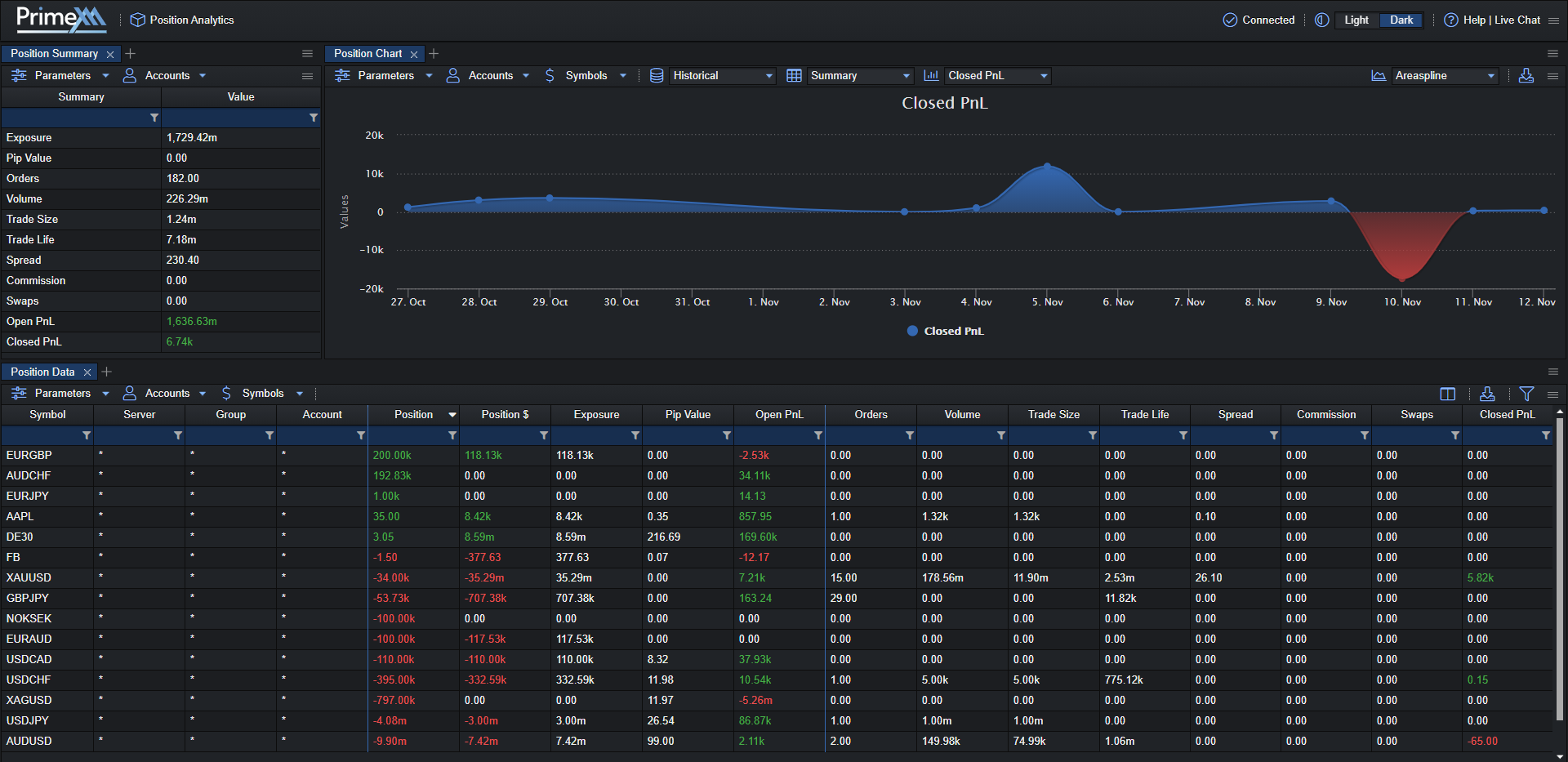
Position Data

Filtration panel:
| Field | Description |
|---|---|
| Servers/Groups/Accounts | select the desired combination of Groups and/or Accounts from the first filter panel, if you wish to further filter down to the level of groups or accounts |
| Servers/Securities/Symbols | select the desired combination of Securities and/or Symbols from the second filter panel, if you wish to further filter down to the level of securities or symbols Note: If no securities or symbols are selected from the filter panel, then all securities and symbols will be displayed |
| Open Position Only | When selected it will show information only for open positions |
Position Data fields description
| Field | Description |
|---|---|
| Symbol | The name of the MT4 Symbol Note: symbols with different suffixes will appear as separate entries |
| Server | The name of the MT4 Server |
| Group | The name of the MT4 Group |
| Account | The name of the MT4 Login |
| Position | The nominal position size: Lots * Contract_size |
| Position $ | The notional position value displayed in the user-selected currency (defined in “Parameters”) Position * conv_rate_ccy |
| Exposure | exposure of the respective Currency displayed in the selected Ccy |
| Pip Value | the value per pip in user-selected currency |
| Open PnL | unrealized P&L, i.e sum of open position P&L Ccy displayed in the selected Ccy |
| Orders | numbers of orders placed |
| Volume | total volume traded from selected date till now |
| Trade Size | average trade size |
| Trade Life | the average time between position open and close is calculated only for closed orders |
| Spread | symbol and group spread multiplied by volume traded converted to selected currency |
| Commission | the amount of the commissions |
| Swap | the amount of the swaps |
| Closed PnL | the realized P&L i.e sum of the closed position P&L Ccy displayed in the selected Ccy |
Position Chart
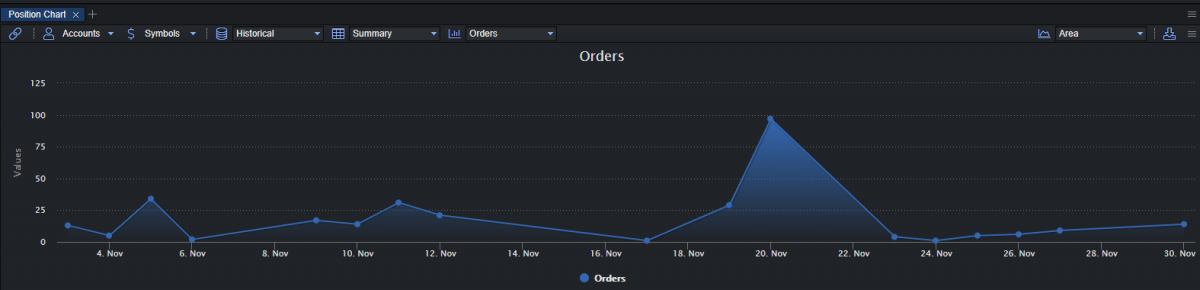
Filtration panel:
| Field | Description |
|---|---|
| Servers/Groups/Accounts | select the desired combination of Groups and/or Accounts from the first filter panel, if you wish to further filter down to the level of groups or accounts |
| Servers/Securities/Symbols | select the desired combination of Securities and/or Symbols from the second filter panel, if you wish to further filter down to the level of securities or symbols Note: If no securities or symbols are selected from the filter panel, then all securities and symbols will be displayed |
| Real-Time | Shows graphical chart of the positions in real-time: - Position $: shows chart of the positions in a user-selected currency - Exposure: shows chart of the positions exposure - Pip Value: shows the pip value of the positions - Open PnL: shows the unrealized PnL of the positions |
| Historical | Shows the historical graphical chart of the positions: -Data: -Summary: -Orders -Volume -Trade Size -Trade Life -Spread -Commission -Swaps -Closed PnL |
| Type of graphical chart | Area - Areaspline - Column - Line - Pie - Spline |
Position Summary
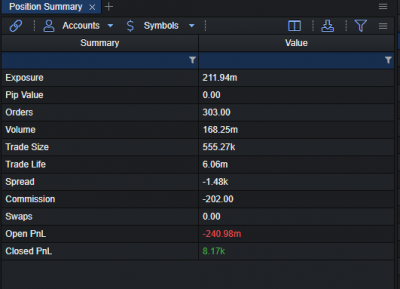
Filtration panel:
| Field | Description |
|---|---|
| Servers/Groups/Accounts | select the desired combination of Groups and/or Accounts from the first filter panel, if you wish to further filter down to the level of groups or accounts |
| Servers/Securities/Symbols | select the desired combination of Securities and/or Symbols from the second filter panel, if you wish to further filter down to the level of securities or symbols Note: If no securities or symbols are selected from the filter panel, then all securities and symbols will be displayed |
Position Summary fields description:
| Field | Description |
|---|---|
| Exposure | exposure of the respective Currency displayed in the selected Ccy |
| Pip Value | total pip value of the positions |
| Orders | number of orders placed |
| Volume | total volume traded from selected date till now |
| Trade Size | average trade size |
| Trade Life | the average time between position open and close is calculated only for closed orders |
| Spread | symbol and group spread multiplied by volume traded converted to selected currency |
| Commission | the amount of the commissions |
| Swaps | the amount of the swaps |
| Open PnL | the unrealized P&L i.e sum of the open position P&L Ccy displayed in the selected Ccy |
| Closed PnL | the realized P&L i.e sum of the closed position P&L Ccy displayed in the selected Ccy |
Position Parameters
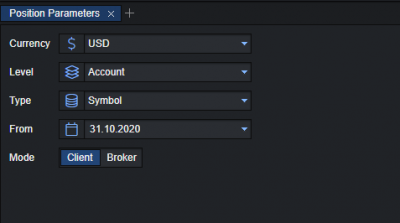
Position Parameters:
| Field | Description |
|---|---|
| Ccy | specifies the currency to which the real-time Ccy parameters (Buy Ccy, Sell Ccy, Net Ccy and P&L Ccy) will be calculated Available currencies: - EUR - USD - GBP - JPY - CHF Note: the system will periodically (every 1 second) re-calculate the real-time Ccy values of open all positions and display the results in the selected Ccy. |
| Level | - Overall: will show information for open positions from all respective Symbols will be aggregated and displayed into a single row for all selected MT4 Servers - Server: will show information for open positions of the respective Symbols will be aggregated and displayed into a single row on a per MT4 Server level - Group: will show information for open positions of the respective Symbols will be aggregated and displayed into a single row on a per MT4 Group level - Account: will show information for open positions of the respective Symbols will be aggregated and displayed into a single row on a per MT4 Account level |
| Type | - Symbol: the information of the positions will be shown per symbol name Note: symbols that differ by suffix will be aggregated on a per Server – Group – Account level based on the following: for symbols with MT4 Profit calculations set to Forex, Symbol exposure will be aggregated based on the first 6 characters of the symbol name - i.e Symbol exposure for EURUSD.pxm and EURUSDp will be aggregated based on the Symbol name EURUSD for symbols with MT4 Profit calculations other than Forex, exposure will be aggregated based on symbol names followed by any special character i.e “.”,”_”,”&”,”#” - i.e Symbol exposure for DE30, DE30# will be aggregated based on Symbol name DE30 - i.e Symbol exposure for DE30, DE30x will not be aggregated but appear as separate entries - Instrument: the information of the positions will be shown per instrument name Note: symbols that differ by suffix will be displayed as individual positions on a per Server – Group – Account level - Summary: the information of the positions will be shown for all symbols and instruments |
| From | the time frame from until today for which someone wishes to check information on the positions |
| Mode | - Broker: open positions are displayed from the perspective of the Broker - Client: open positions are displayed from the perspective of the Trader, i.e same as in the MT4 client terminal |