Trade Parameters
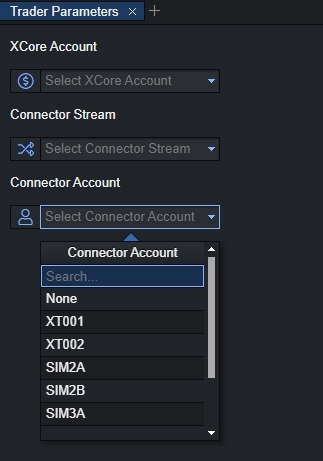
The trader parameters component is available in the XTrader module and can be used for internal purposes to customize these trading parameters by selecting the necessary XCore Account, Connector Stream, and Connector Account from the drop-down menus, as it is demonstrated below:
Please note that the Trader Parameter component cannot be used by itself and therefore it can be used in combination with other components under the Xtrader module such as Market Watch, Account, Exposure, Position Chart, Book Depth Chart, Trading Panels components as a global link between the components.
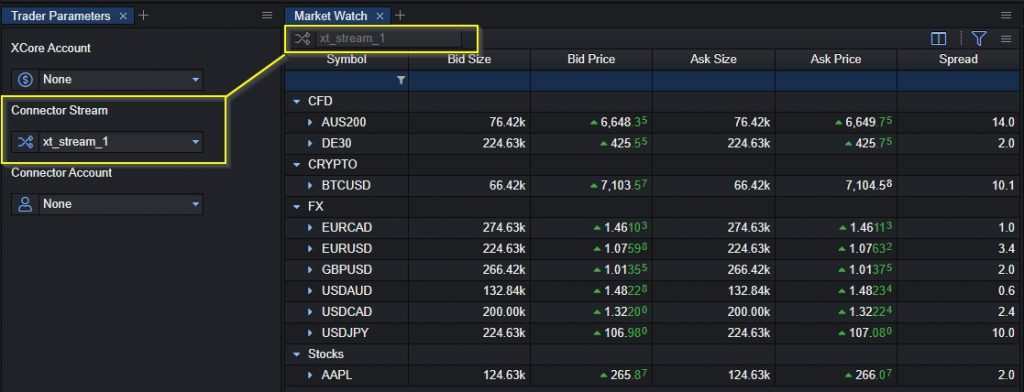
For example, by having the Trader Parameter component and the Market Watch component on the same layout then by selecting the connector stream from the trader parameter it will load it on the market watch as shown below:
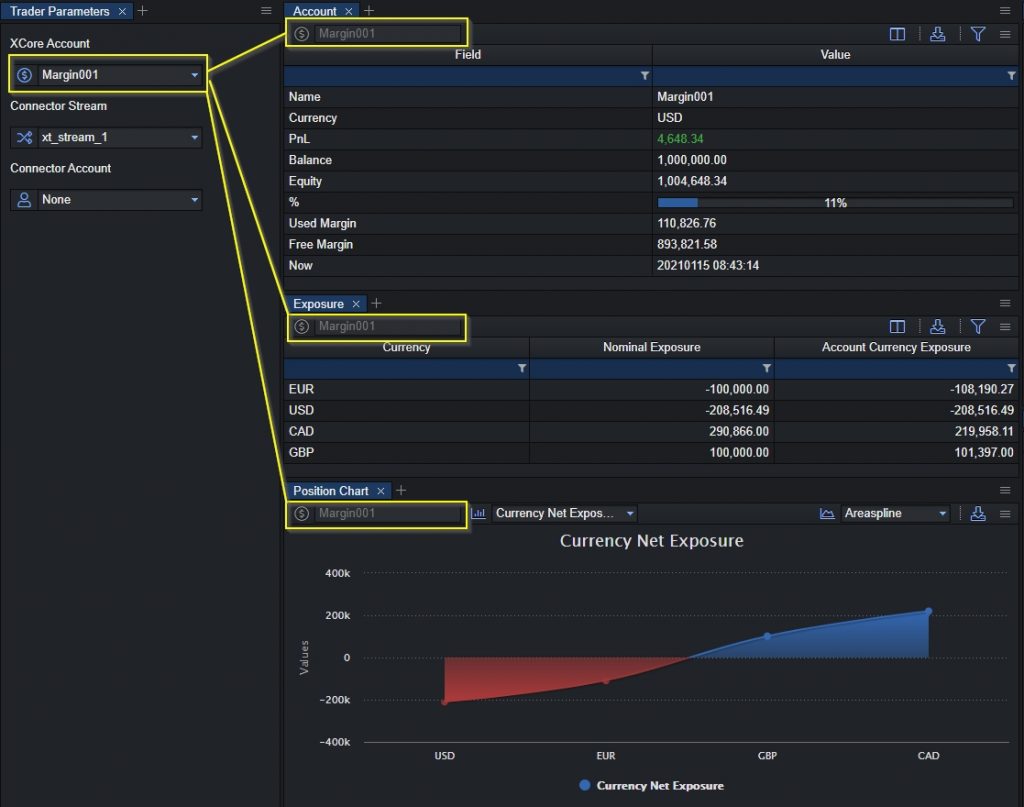
Another example of this is by having the Trader Parameter, Account, Exposure, and Position Chart components on the same layout by selecting a specific XCore account from the Trader Parameters component the selection will reflect on the rest of component as shown below: