Wallet Admin

Wallet Admin: Deposit and withdraw funds with ease into the wallets of XCore account(s)
| attributes | description |
|---|---|
| Account | The names of the accounts defined in the Account component. |
| Name | The wallet name. |
| Currency | The currency of this wallet. |
| Balance | The current wallet balance, in the wallet currency. |
Deposit
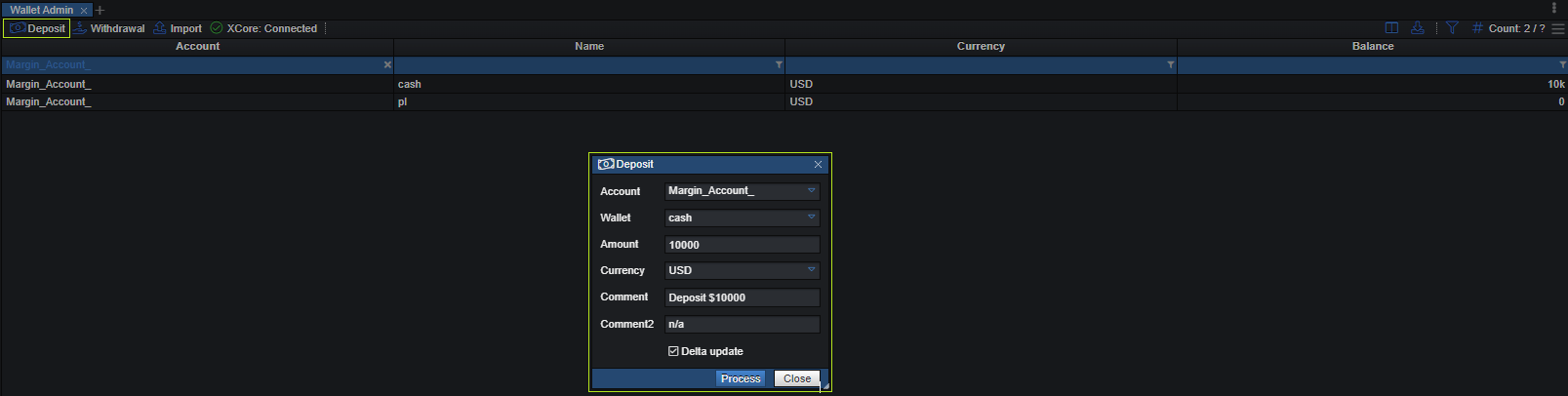
| attributes | description |
|---|---|
| Account | The names of the accounts defined in the Account component. |
| Wallet | Name of the wallet. |
| Amount | Deposited amount. |
| Currency | The deposit currency of the account into which all balance operations and charges will be translated. |
| Comment | Add a comment for deposit. |
| Comment2 | Another option to add a comment. |
| Delta Update | If ticked, the amount is added to the wallet balance. If unticked, the wallet balance is set to the entered amount. |
Withdrawal
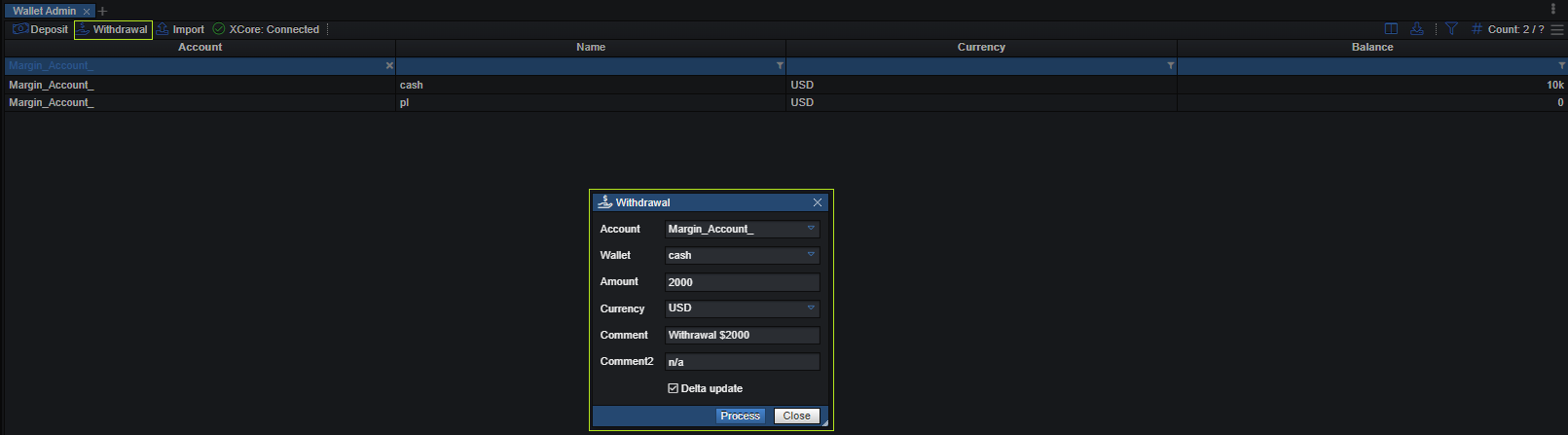
| attributes | description |
|---|---|
| Account | The names of the accounts defined in the Account component. |
| Wallet | Name of the wallet. |
| Amount | Withdrawal amount. |
| Currency | The withdrawal currency of the account into which all balance operations and charges will be translated. |
| Comment | Add a comment for withdrawal. |
| Comment2 | Another option to add a comment. |
| Delta Update | If ticked, the amount is subtracted from the wallet balance. If unticked, the wallet balance is set to the negative of the entered amount. |
Import
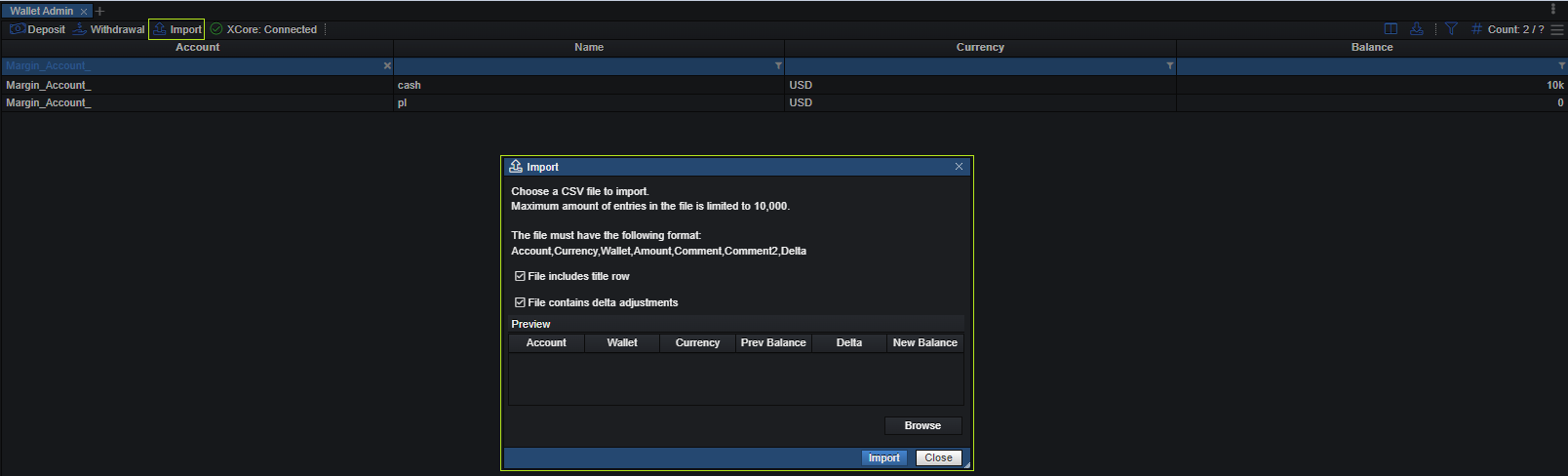
The import allows a user to upload a file (.csv) with multiple wallet adjustments at once if needed.
The file should be in .csv format and data should have the following format:
Account,Currency,Wallet,Amount,Comment,Comment2,Delta
e.g.: Margin_Account,USD,Cash,10000,Deposit,,true
Delta must be the same on every row and match the dialog's File contains delta adjustments option (see the Account upload rules).
Please refer to the wallet admin.csv file to learn more about the correct format.